
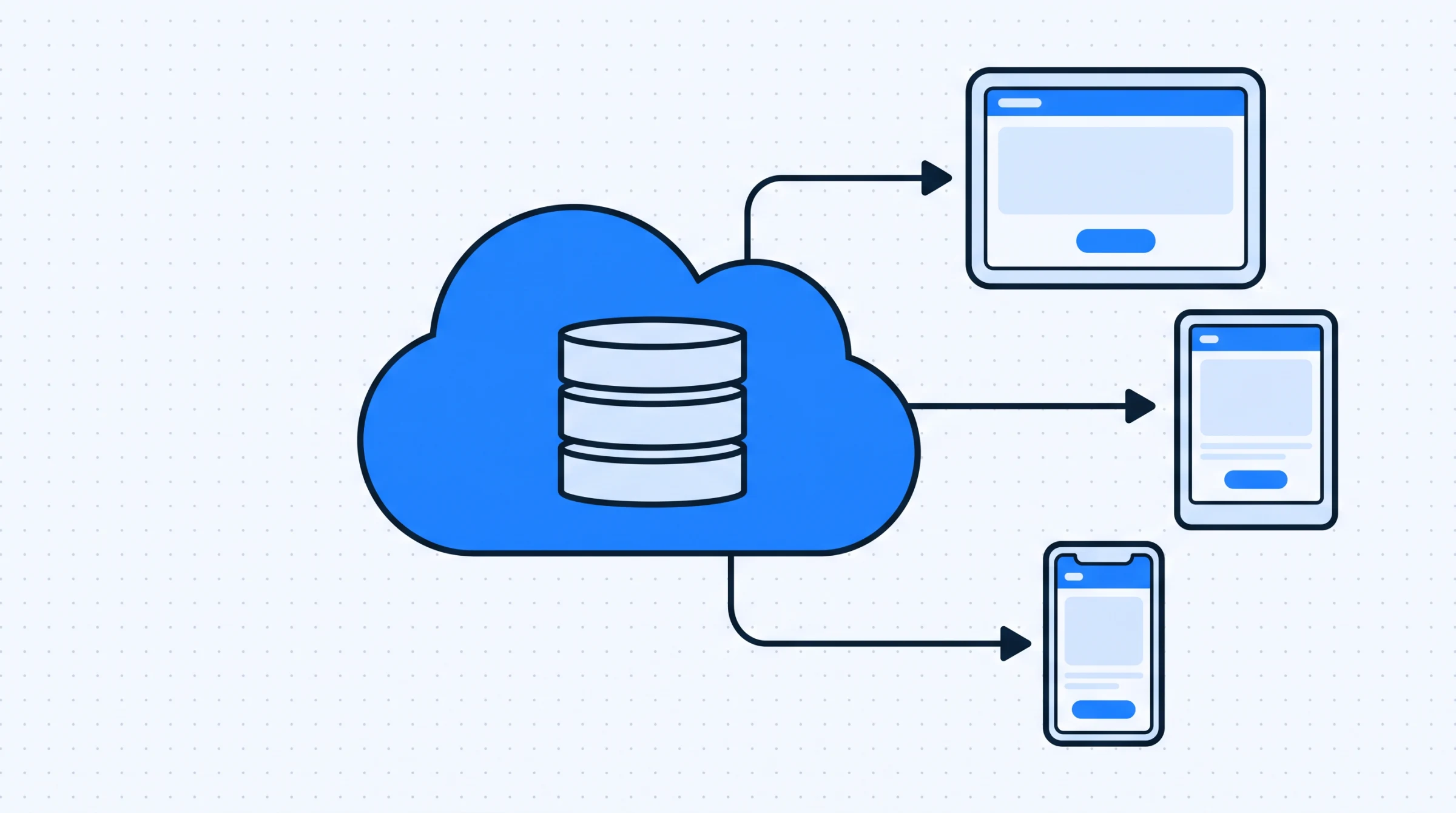
Cloud based dental software runs on servers the clinic does not own, accessed through a browser or app, with data stored off site. The alternative, still common in established practices, is software installed on a machine in the clinic with the data on that machine or a local server.
The choice is usually presented as a technology question. For a dental practice it is really a question about who carries which risks, and what happens on a bad day. This is a practical comparison for clinic owners rather than a technical one.
What actually differs
Both approaches store patient records, run a calendar and produce reports. The differences show up in five places, and none of them are about features.
Where the data physically sits. On a clinic machine, or in a data centre. This is the root difference and everything else follows from it.
Who is responsible when it breaks. With local software, the clinic is. With cloud software, the vendor is, within whatever they have committed to.
What a hardware failure costs. A failed drive on a clinic machine holding the only copy of patient records is a serious event. The same failure on a laptop used to access cloud software means buying a laptop.
How you pay. Local software is usually a licence bought once, plus support. Cloud software is a subscription. The total over five years may be similar; the shape is different, and one of them appears on a different line of the accounts.
What happens away from the clinic. Cloud software is reachable from home. Local software generally is not, unless somebody has arranged remote access, which is often the least well maintained part of a clinic's setup.
The comparison that matters
| Situation | Local install | Cloud |
|---|---|---|
| Clinic internet drops | Keeps working | Stops until it returns |
| The clinic computer fails | Records at risk unless backups are current | Use another device |
| Owner wants figures from home | Usually not possible | Normal |
| Second branch opens | New install, data now in two places | Same system, one dataset |
| Software needs updating | Someone schedules and performs it | Happens without clinic involvement |
| Vendor relationship ends | Software keeps running as it is | Depends entirely on data export |
Read the first and last rows together, because they are the honest case against cloud and they are both real. A clinic with poor connectivity and a vendor with weak export terms has swapped a risk it controls for one it does not. Neither row is a reason to rule cloud out, but both deserve a specific answer rather than reassurance.
The middle rows are where most practices actually find their answer. A second location, an owner who wants figures without phoning the desk, or a clinic where nobody has updated the software in two years: each of those points the same way, and none of them is about technology preference.
The internet question, answered properly
Every clinic considering cloud software asks what happens when the connection drops, and the usual answer is a reassurance about uptime, which misses the point. The connection that matters is the clinic's own, not the vendor's.
The practical question is what your clinic does during an outage, and the answer depends on the hour. An outage at nine in the morning means you cannot see the day's list. An outage at two means you cannot record what you just did. These are different problems with different workarounds.
Clinics that handle this well do three unglamorous things. They print or screenshot the day's appointment list each morning, which costs a minute and makes a short outage a non event. They have a phone that can act as a connection if the main one fails, which most staff are carrying anyway. And they agree in advance what gets written on paper and entered afterwards, so the recovery is a known routine rather than an improvisation.
None of that is a reason to choose one approach over the other. It is a reason to answer the question concretely before it comes up, rather than treating connectivity as a yes or no attribute of the clinic.
Backups, and the thing clinics get wrong
The strongest argument for cloud in a small practice is not convenience. It is that local backup regimes usually fail, and fail silently.
The pattern is consistent. A backup is configured when the system is installed, by someone technical, and it works. Months pass. The external drive fills, or the scheduled job stops after an update, or the drive is unplugged for a day and never reconnected. Nothing announces this. The clinic continues believing it has backups, and discovers otherwise at the only moment it matters.
The test is simple and worth performing today regardless of which approach you use: pick a patient seen two years ago and restore their record from a backup. Not verify the backup exists, restore from it. Clinics that have never done this do not have backups, they have an intention.
Cloud software moves this responsibility to the vendor. That is a genuine transfer of risk rather than an elimination of it, which is why the export question below matters so much.
Questions to ask a cloud vendor
- How do I export all my data, and in what format? Ask for a sample export file, not a description. This is the single most important question and the one most likely to get a vague answer.
- Where is the data stored? A specific answer, and whether it stays there.
- What happens to my data if I stop paying? Is there a window to retrieve it, and how long.
- Who at your company can see my patient records? Support access is normal; undisclosed support access is not.
- What does an outage on your side look like? How you are told, and how you find out it is fixed.
Question one deserves the most weight because it converts the last row of the table from a risk into a manageable one. A clinic that can export its records at any time has a real exit, and a vendor relationship that depends on the software being good rather than on the data being trapped.
Patient data, and who can reach it
Dental records are clinical data. Wherever they sit, the practical questions are the same: who can open them, what happens when someone leaves, and whether you would know if a record had been read by the wrong person.
A local install tends to answer these badly, not because the software is weak but because the setup drifts. Machines end up with a shared login because it was quicker. The password is known to former staff. Nobody can say who viewed what, because the system was never configured to record it. This is not negligence so much as entropy: the arrangement was fine when it was made and nobody revisited it.
The useful control in either model is role separation. A receptionist needs contact details, appointment times and balances. Full clinical notes are a different category of information and not required to do that job. Defining roles with different levels of access is the single change that most reduces the number of people who can see everything, and it costs nothing but a decision.
When staff leave, the question becomes whether access ends on the same day. With individual logins that is one action. With a shared password it is a change everyone has to be told about, which usually means it happens late or not at all.
Which fits which clinic
Local installs still make sense in specific circumstances: unreliable connectivity with no practical alternative, an existing system that works and is genuinely backed up, or a practice close enough to retirement that a migration will not pay back.
Cloud tends to fit when any of the following is true. The owner is not at the clinic every day and wants to see figures without asking someone. There is more than one location, or there might be. Nobody in the practice wants to own backups and updates. Or staff need to work from more than one machine, which describes most clinics with more than two chairs.
The deciding factor in practice is rarely technical. It is whether there is a person in the clinic who will reliably maintain a local system for years. If that person exists and is staying, local works. If the honest answer is that it has been nobody's job for a while, that is the finding.
Moving from local to cloud
The migration is mostly a data exercise and partly a habit one. Export the existing records, check a sample by hand rather than trusting the count, and decide what not to bring: patients not seen in several years rarely justify the verification effort.
Decide who does the checking, and give them a rule rather than a feeling. Something like: verify every patient seen in the last six months, plus a random twenty from before that. If the random twenty are clean, trust the rest. If two are wrong, check everything. This turns an open ended anxiety into a task with an end.
Expect the export to be imperfect in predictable ways. Dates are the usual casualty, particularly where the old system stored them as text. Free text notes survive better than structured fields. Anything the previous software treated as optional is where gaps appear, which is a reason to check the fields you care about most rather than the ones that are easiest to eyeball.
Keep the old system running, disconnected from daily use, for a few months. It costs nothing and removes the anxiety that makes staff maintain shadow paper records. Set a date to switch it off and hold to it.
Denti360 runs as cloud software with mobile friendly access, so the clinic machine stops being the thing the records depend on. If you are weighing the decision, the overview of what changes day to day is more useful than a feature list, and you can book a demo to ask the export question directly.