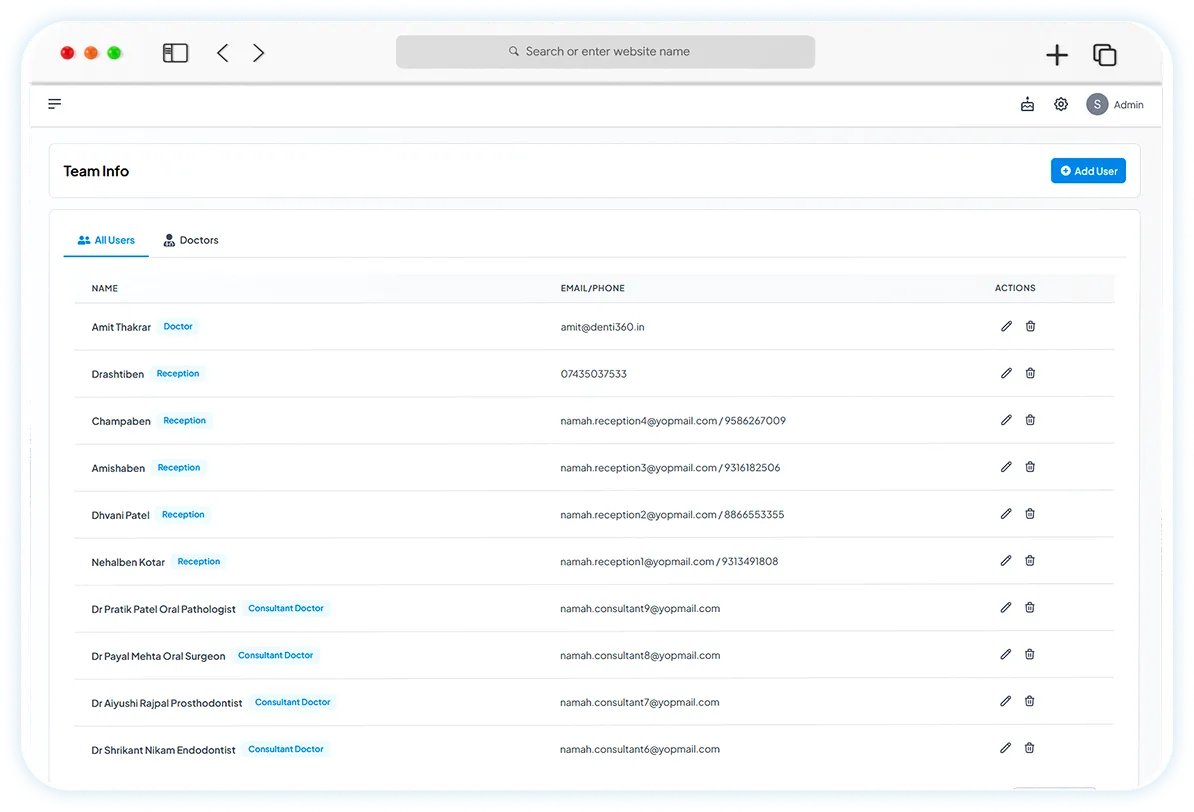
Customisable role-based access to ensure data security.
Assign specific permissions to team members, giving them access only to what they need while keeping sensitive information protected.

Give every team member exactly the access their role needs — no more, no less — and keep sensitive patient and financial data protected by default.
_OtwK.webp)
Key features
A closer look at how role-based access works in Denti360.
Assign specific permissions to team members, giving them access only to what they need while keeping sensitive information protected.
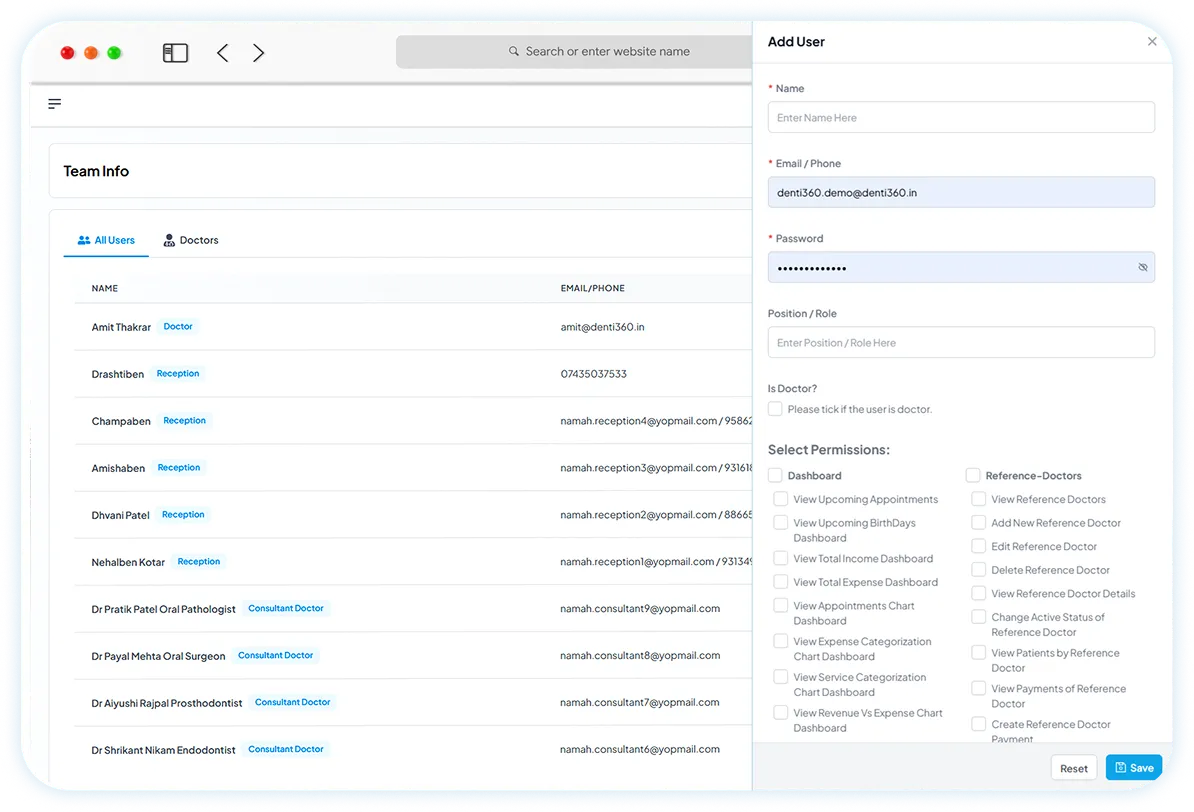
Easily manage team roles and responsibilities by tailoring access to match their job functions.
_Z1Wq10U.webp)
Ensure compliance with data protection standards while safeguarding your clinic's financial and patient information.
Keep exploring
Manage patient profiles, treatment histories and billing with ease.
Learn moreKeep track of appointments with calendar views and doctor-wise filtering.
Learn moreMonitor income, expenses and revenue — all from one dashboard.
Learn moreSee how these features transform your clinic's operations and patient care — in a 30-minute walkthrough.